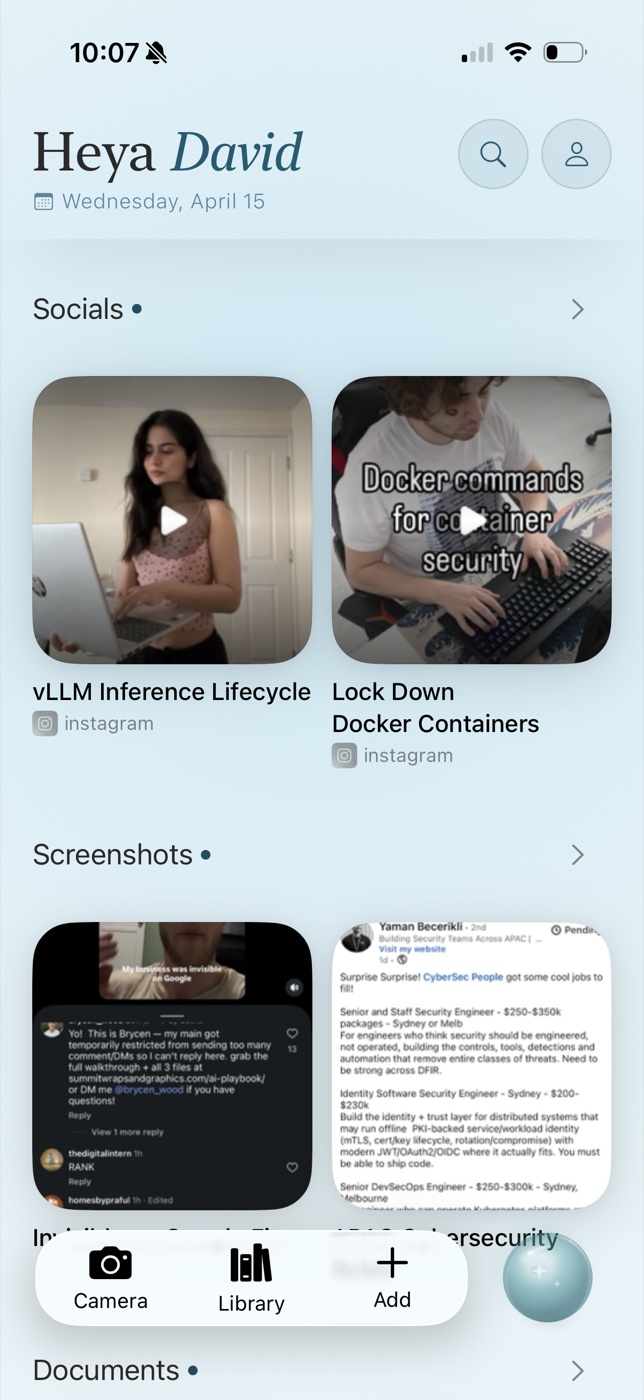
Why screenshot folders break down
A screenshot is usually captured because it matters for later: a booking, recipe, product, quote, address, conversation, or idea. The problem is that the useful detail lives inside the pixels. A camera roll ordered by date does not reflect why you saved it, and filenames do not help.
The practical test is retrieval. Can the app find “the blue sofa I saved from Instagram” or “the venue address from last Tuesday” without you remembering the exact wording? If not, it is storing screenshots rather than turning them into usable memory.
What to look for
Prioritise on-device OCR, semantic search, source preservation, fast capture, and privacy. OCR makes visible words searchable. Semantic search handles remembered meaning instead of exact phrases. Source preservation matters because an AI answer is only useful when you can inspect the original screenshot.
Also check whether the app requires manual tags. Tags are valuable for deliberate archives, but screenshots are often captured in a hurry. A system that only works when every item is filed will eventually become another unattended inbox.
Best options by use case
| App | Best for | Trade-off |
|---|---|---|
| OwnMynd AI | Private, natural-language recall with the source screenshot | Currently focused on Apple devices |
| Apple Photos | Free visual and text search already on iPhone | Mixed with the entire photo library |
| mymind | Beautiful visual collecting across platforms | Cloud account and a broader inspiration workflow |
| Raindrop.io | Structured bookmark collections | Better for URLs than an iPhone screenshot archive |
Use Apple Photos if your screenshot volume is modest. Choose mymind when visual resurfacing is the goal. Choose OwnMynd when screenshots are working memory and you want to ask questions about their contents with a direct path back to the evidence.
A five-minute setup that lasts
Start by saving only screenshots you genuinely expect to retrieve. Share them to your memory app at capture time, then test three questions in your own language. Good retrieval software should adapt to ordinary phrasing; it should not make you learn a query language.
Once a week, delete transactional screenshots that have expired. The aim is not to preserve every pixel. It is to build a small, trustworthy memory layer for the things you would otherwise lose.
Try recall without the filing
OwnMynd AI is a private memory app for iPhone and iPad. Save screenshots, links, notes, documents, and social content, then retrieve them with the source attached.
View on the App StoreFrequently asked questions
Can iPhone search text inside screenshots?
Yes. Apple Photos can recognise text and some objects. A dedicated memory app adds cross-content recall, richer context, and source-backed answers.
Should I delete screenshots after saving them?
Only after confirming the saved copy and source are available. Keep anything legally or financially important in its original system of record.
Does OwnMynd upload screenshot images?
OwnMynd states that raw screenshots, photos, and files remain on the device; optional cloud AI receives text snippets rather than raw images.
Research sources
Product capabilities were checked against official pages from mymind, Recall, Fabric, Raindrop.io, Obsidian, Notion, Zotero, Readwise Reader, Evernote, and OneNote. Comparison structure was also reviewed against NotePlan's Notion alternatives and Obsidian alternatives guides. Features and pricing can change; verify critical details with the provider.
Continue reading
- The Best Personal Knowledge Management Apps in 2026
- Which Digital Memory App Tracks Content Sources Automatically?
- How to Save and Manage Web Links, Notes, and Social Media Posts
Editorial note: Product capabilities change. This guide was reviewed against public product information available on 14 June 2026. We identify where OwnMynd is and is not a suitable choice.